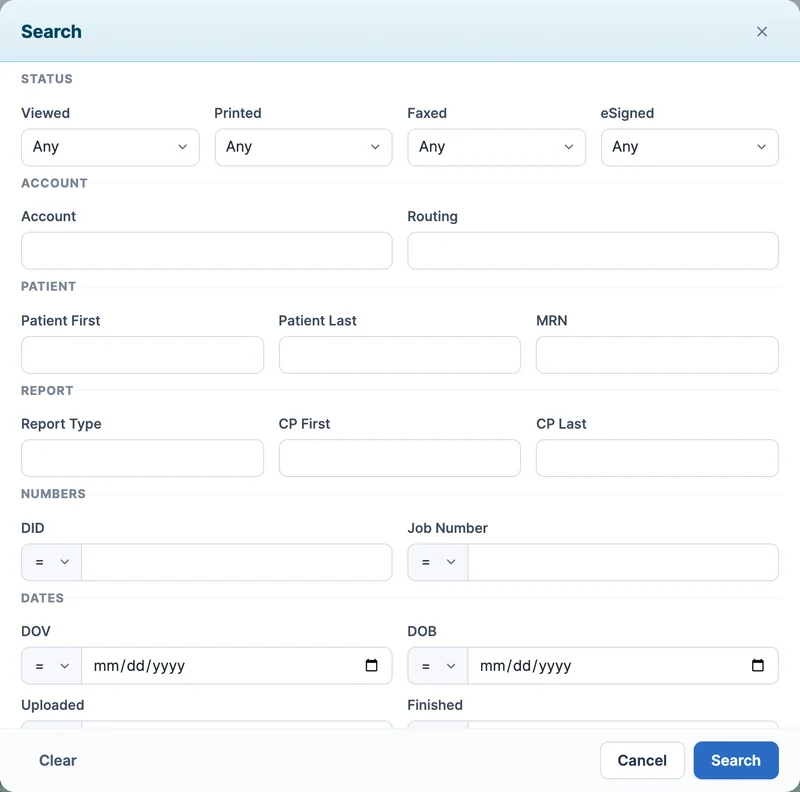
Find any note
Search by patient, MRN, report type, care provider, dictation ID or date, and by whether a note was viewed, printed, faxed or e-signed.

Increase productivity and accuracy with one user-friendly, web-based platform where providers, transcriptionists and staff digitize, review and approve clinical notes.
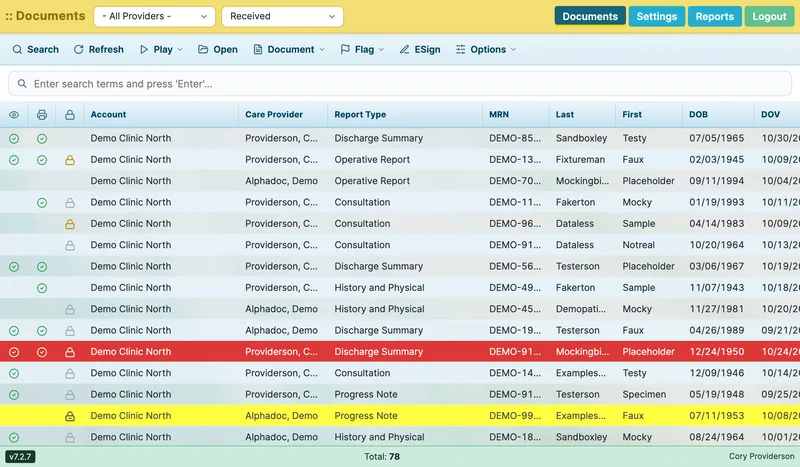
The product screens on this site show the AltaScribe portal with sample data.
AltaScribe unites all key stakeholders on a single platform for seamless digitization, thorough review, and efficient approval of clinical notes. It serves as a HIPAA-compliant storage platform or as an interface for storing them in EHR systems.
No matter how you generate your clinical notes or their final destination, AltaScribe can be customized to fit just right.
An intuitive, step-by-step process moves notes from initial capture, through transcription and quality assurance, to formatting for storage.
AltaScribe's rock-solid infrastructure is always there when you need it, and our service team is available to deal with issues as they arise.
A simple, step-by-step process moves each note from initial capture, through transcription and quality assurance, to storage as a stand-alone document or in an EHR system.
Providers dictate full or partial notes using an app, a voice recorder or the phone.
Where speech recognition is switched on, it prepares a first draft for the transcriptionist to work from.
A transcriptionist completes the note and submits it. Quality assurance can review it before it goes back.
The note returns to the provider and staff, who review it and finalize, reject or e-sign it in the portal.
Finished notes stay available in AltaScribe and can go on to your EHR through an interface, or out by fax, print or secure email.
Providers, staff, transcriptionists and managers work from the same web-based portal, each with their own view of the documents.
Screens from the AltaScribe portal, shown with sample data.
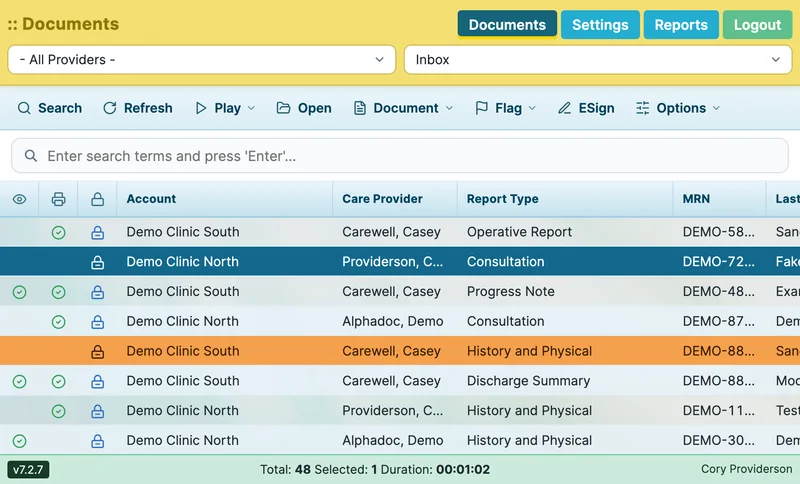
AltaScribe provides users easy access to their documents so that review and approval of notes is as simple as the click of a button.
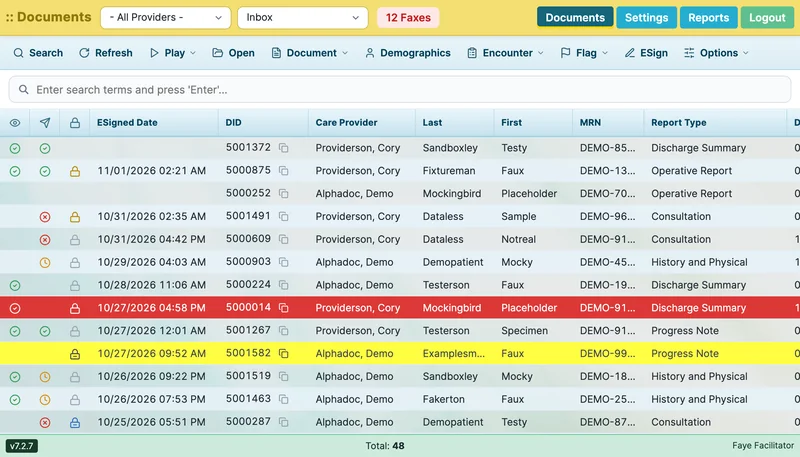
Transcribed notes arrive in the provider's inbox. Select one or several and e-sign them from the list. Users with approval rights finalize or reject a note the same way.
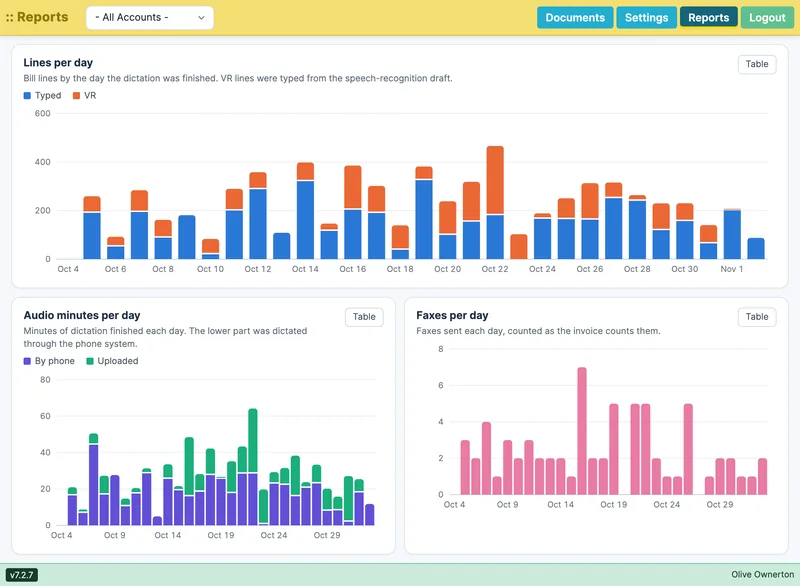
AltaScribe's reporting tools help you know exactly where you stand with each client and employee at a glance.
Search by patient, MRN, report type, care provider, dictation ID or date, and by whether a note was viewed, printed, faxed or e-signed.
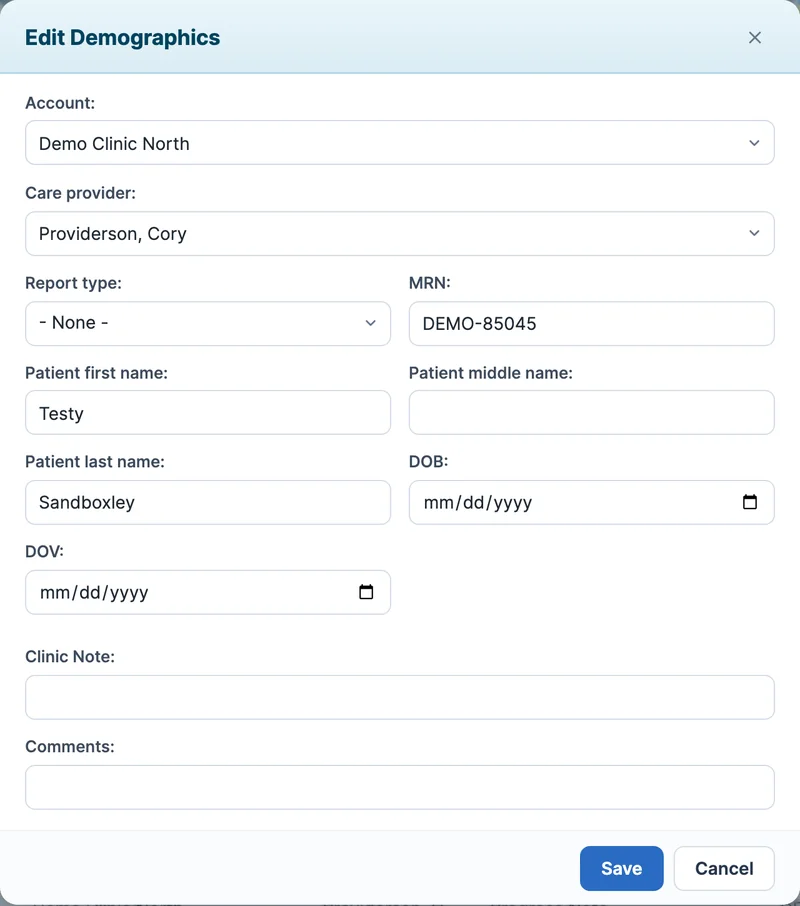
Correct a note's care provider, report type, patient details and visit date in one window. Entering an MRN fills in the patient already on file.
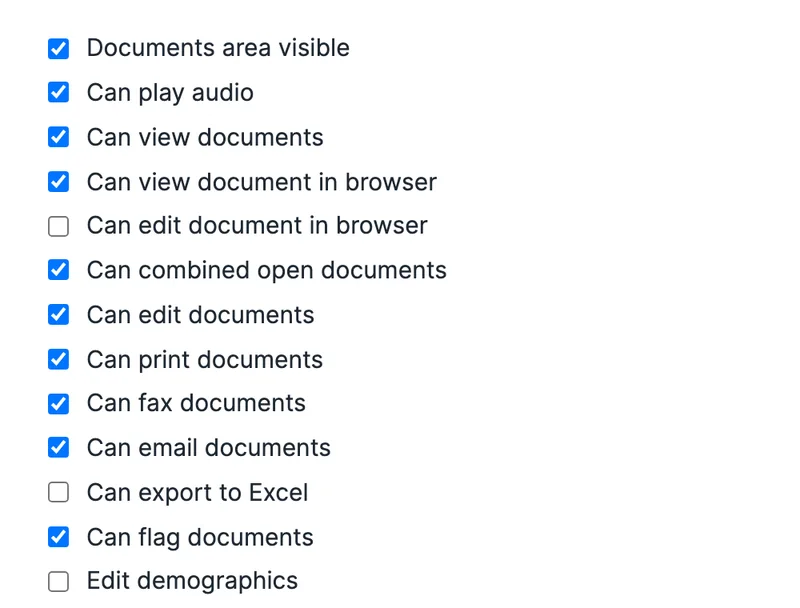
Roles set what each user sees and does, from playing audio and viewing documents to editing, printing, faxing and running reports.

From a one-doctor practice to a large regional hospital.
Medical professionals depend on AltaScribe to efficiently capture and store clinical notes in EHR systems. With its user-friendly interface seamlessly integrating into existing workflows, AltaScribe streamlines EMR processing for enhanced productivity.
Learn more about AltaScribe for medical providers
Manage clients, employees and workflow in one application.
The AltaScribe platform is the trusted tool for transcriptionists, empowering them to efficiently manage document flow and quality assurance for their valued clients. With precision and speed, they deliver accurate transcriptions of clinical notes, ensuring the highest level of accuracy possible.
Learn more about AltaScribe for MTSOsWhether your transcription team is internal or external, AltaScribe provides the tools to exceed expectations.
Unlock your potential with AltaScribe as your trusted partner. We offer a solid foundation for your business to thrive while our dedicated team ensures your success in enhancing patient care or expanding your transcription business.

Find the answer to our most frequently asked questions.
AltaScribe is a web-based portal that facilitates clinical notes' transcription, review, and approval. It serves as one central location for providers to interact with their documents.
Absolutely. AltaScribe and its customizable API interface allow it to communicate directly with many EMR systems seamlessly.
That depends on the level of integration work necessary for your particular instance, but the turnaround time can be as little as 48 hours. A more detailed timeline will be developed during the discovery phase of the relationship.
Learn how AltaScribe helps you accomplish your goals.